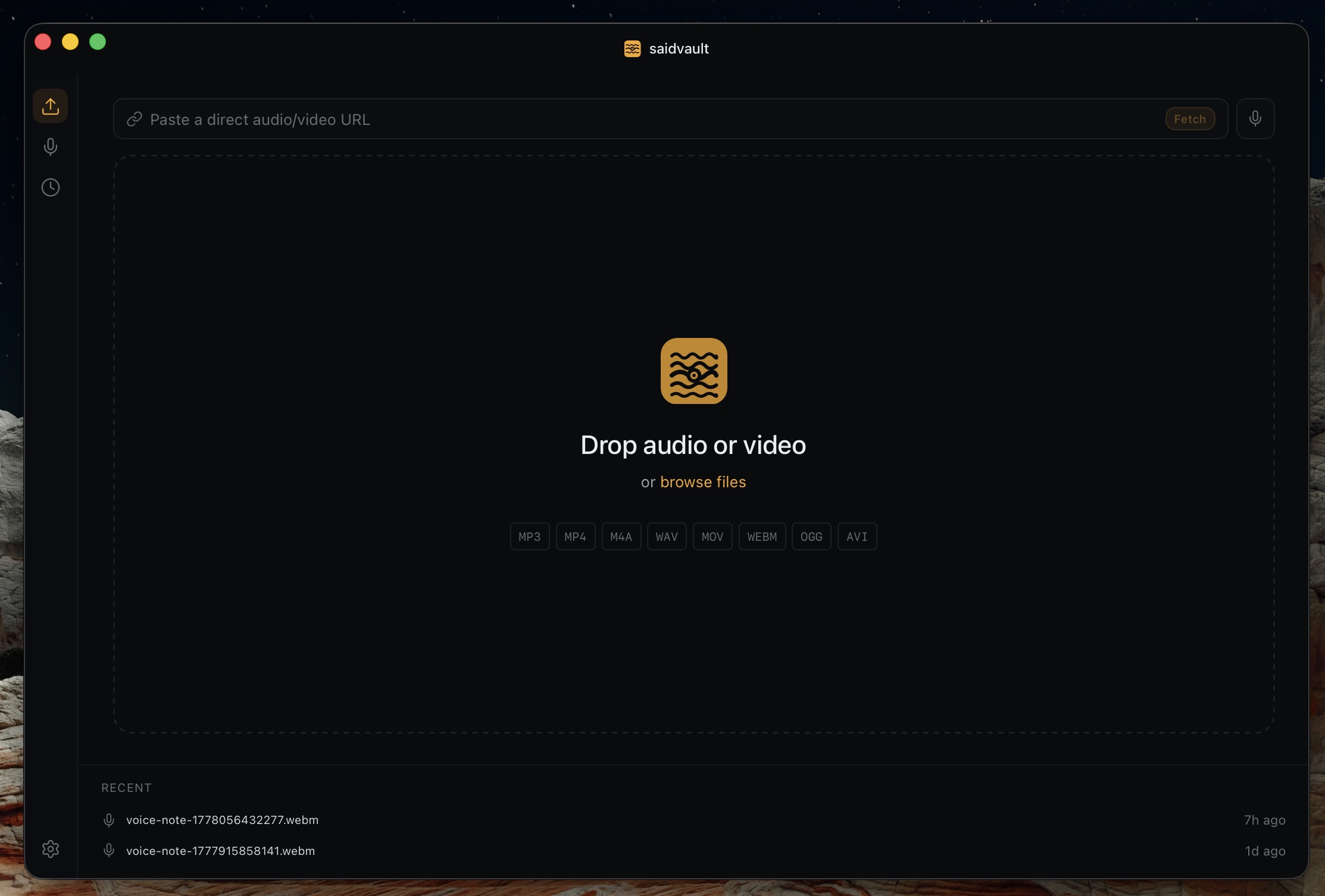
Short version: choose MacWhisper if you want the most mature feature stack for heavy transcription work, Superwhisper if dictation and AI rewriting are the heart of your workflow, and SaidVault if you want the calmest local app for files, voice notes, system audio capture, clipboard dictation, and evidence-friendly exports.
Current pricing snapshot
| App | Current public pricing | What that means |
|---|---|---|
| SaidVault | $29.99 one-time | One licence, one device at a time, no subscription, free length-capped trial. |
| MacWhisper | Free tier, Pro at €64 one-time | Pay once if you want the fuller feature set and broader power-user transcription tooling. |
| Superwhisper | Free tier, Pro at $8.49/mo, $84.99/yr, or $249.99 lifetime | Best fit if you want the dictation-plus-AI workflow and do not mind subscription/lifetime SaaS-style pricing. |
Prices checked on May 13, 2026 from the vendors’ official public pages and docs. These can change, so always verify before buying.
Best fit by user type
For focused local transcription
Best if you want one quiet Mac app for audio and video files, voice notes, system audio capture, local Parakeet, clean exports, and a simple clipboard dictation path.
For the feature-heavy power user
Best if you want batch workflows, watch folders, YouTube transcription, cloud integrations, and a product that has had more time to grow a wide tool surface.
For dictation-first work
Best if your day is mostly voice input into other apps and you want AI cleanup, modes, vocabulary, context, and cross-platform Pro licensing.
Feature comparison
| Need | SaidVault | MacWhisper | Superwhisper |
|---|---|---|---|
| Core focus | Local transcription plus voice notes, system audio capture, and clipboard dictation | Broad transcription toolkit with many advanced features | AI dictation, formatting, and workflow modes |
| Local transcription | Yes, on Apple Silicon Mac | Yes, local Whisper and Parakeet support on Mac | Yes, local voice models available alongside cloud options |
| Audio/video file transcription | Yes, with drag-and-drop and media URL import | Yes, one of its strongest workflows | Yes, but file transcription is not the main brand story |
| Voice notes library | Yes, built-in | Can record/transcribe audio, but not positioned as a separate notes library | Strong capture flow, more dictation-oriented than note-library oriented |
| System-wide dictation | Yes, hold shortcut, speak, release, paste from clipboard | Yes, global dictation exists in current Pro feature set | Yes, this is the core strength |
| Manual speakers | Yes | Yes | Not the main focus of the product |
| Automatic speaker tools | No | Yes, current Pro messaging includes automatic speaker recognition options | Current Pro docs mention speaker separation |
| Export focus | TXT, Markdown, PDF, SRT, VTT with evidence-friendly PDF metadata | Very broad export and transcription workflow surface | Depends more on dictation mode and plan; less export-centric |
| Model story | Whisper plus local Parakeet on Apple Silicon | Whisper plus public Mac-facing Parakeet support on M-series Macs | Local and cloud voice models, plus cloud language models in Super Mode |
| Cloud AI integrations | No, intentionally local-first | Yes, broad cloud and API integrations in Pro | Yes, local and cloud models are both part of the product |
| Best UI feel | Calm, minimal, editorial | Dense, capable, more tool-like | Fast, dictation-centric, AI-workflow oriented |
| Business model | One-time purchase | One-time purchase | Subscription or lifetime |
Where the competitors are stronger
MacWhisper is stronger when
- You want the most mature long-form transcription toolset.
- You care about batch jobs, watch folders, cloud integrations, or YouTube support.
- You want a wider export and automation surface, even if the app feels busier.
Superwhisper is stronger when
- Your main job is dictating messages, docs, prompts, and emails into other apps.
- You want AI modes, vocabulary, rewriting, and context-aware cleanup.
- You want one licence spanning Mac, Windows, and iPhone according to current Pro docs.
Where SaidVault is stronger
SaidVault is stronger when you do not actually want a giant dashboard. It is built around a narrower promise: local files, local voice notes, push-to-talk clipboard dictation, clean transcript review, and exports that look serious enough for documentation work.
- More restrained, calmer interface than the feature-heavy alternatives.
- Evidence-friendly PDF metadata such as SHA-256, reference time, file size, duration, and word count.
- Voice notes, system audio capture, and transcription live in one focused local app instead of being secondary to AI workflow tooling.
- Local Parakeet support without turning the whole product into a cloud-AI subscription story.
Which one should you buy?
You care about privacy and documents
You mostly transcribe files, interviews, recordings, and notes, and you want a lightweight app that feels purposeful rather than sprawling.
You want maximum feature depth
You are happy to learn a denser interface because you want lots of knobs, workflows, integrations, and advanced transcription options.
You live in dictation all day
You mostly speak into other apps and want the text cleaned, adapted, and shaped by modes rather than exported as a classic transcript.
Method and sources
This comparison is based on the official public product pages and documentation that were accessible on May 13, 2026. Feature surfaces change quickly, especially for AI apps, so treat this as a practical snapshot rather than a permanent truth.
- SaidVault homepage and pricing
- MacWhisper official Gumroad pricing and public product information reviewed on May 13, 2026.
- Superwhisper official docs and pricing pages reviewed on May 13, 2026.
FAQ
Is SaidVault the cheapest one-time option?
Yes versus the current MacWhisper Pro checkout and far below Superwhisper lifetime. On May 13, 2026, SaidVault was listed at $29.99 one-time, MacWhisper Pro at €64 one-time, and Superwhisper lifetime at $249.99. Price still should not be the only reason to choose it, but the gap is real.
Is SaidVault more accurate than MacWhisper?
Not inherently. All of these apps can use Whisper-family speech recognition, so the bigger differences usually come from model choice, audio quality, and workflow polish rather than a magical accuracy gap.
Why would I pick SaidVault over Superwhisper?
Pick SaidVault if your center of gravity is transcripts, exports, and documentation. Pick Superwhisper if your center of gravity is dictation plus AI writing assistance.
Want the calmest local transcription workflow?
SaidVault is the simpler answer if you want local files, voice notes, push-to-talk dictation, and polished exports without paying for a much bigger feature stack.